Sarah (Neighbor)Today, 11:15 AM
Michael had a good visit today. He enjoyed the walk and was in good spirits.
Family care, shared
Adult children coordinating a parent's care without living in endless text threads.
Already have an account? Sign in.

Three moments. Real peace of mind. KinCircle keeps every caregiver informed, involved, and aligned—no matter where they are.
Caregiver story
1. Morning medications
Sibling checks dose status from another city.
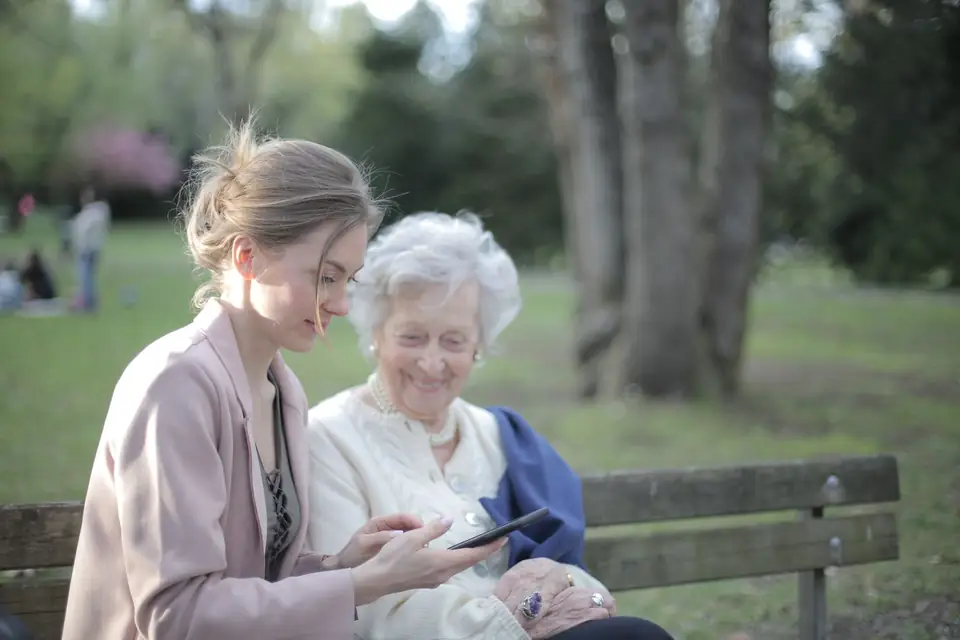
Outcome: She sees the dose was given on time and the note from home. No calls. No worry.
2. Afternoon visit
Who is covering the neurologist visit.

Outcome: Everyone knows the plan. Sarah is there, and the rest of the circle is in the loop.
3. Evening notes
A short update the whole circle can see.
Outcome: Quick note sent. The circle feels connected, and tomorrow stays coordinated.
Home today board
Today
Next visitToday, 10:00 AM
Visit with Michael
Dose due
Calendar week
Calendar
Medications list
Medications
Note in the feed
Feed
Sarah (Neighbor)Today, 11:15 AM
Michael had a good visit today. He enjoyed the walk and was in good spirits.
Roles decide what each person sees.
Three steps. Start a free trial, create your circle, then invite the people who help.
Create an account, then create your circle. You become the Owner. That circle is your one free 30-day trial, and no card is required. Additional circles are $12/month or $120/year from the start.
An Owner or a Caregiver sends a one-time link and chooses Caregiver or Viewer. A Viewer can look. A Caregiver can update the circle.
Add the Calendar, Medications, notes, and papers as things change. Home shows what needs doing today, so you are not reconstructing it from old texts.
Everyone you invite has a role. The role is why they are there, and it decides what they can see and do.
KinCircle does not sell or rent customer data, and it does not use it for advertising. KinCircle does not train AI models on customer data, and it does not send circle data to an AI service on its own.
Outside services receive it only to run the product, or as required by law. Each one gets only what its job needs.
Your circle is for the people you invite. KinCircle does not sell or rent customer data, and it does not use it for advertising. KinCircle does not train AI models on customer data, and it does not send circle data to an AI service on its own.
Outside services receive data only to run the product, or as required by law—and each one gets only what its job needs. Full details live in the privacy policy.
KinCircle may ask Google for your verified email and account id when you choose sign-in with Google—only to sign you in and link an existing account, not to access Gmail, Drive, or other Google products. See About KinCircle and the privacy policy.
Connect an AI assistant you already use, and ask it about Mom’s calendar, medicines and other care details instead of hunting through texts. The person who set up the circle (the Owner) turns it on in their account settings, under AI access. KinCircle doesn’t pick an assistant for you, and it doesn’t send circle data to an AI service on its own.
Once your assistant reads something, that company’s privacy rules apply, not ours.
A circle is $12/month or $120/year. Yearly saves $24. One account gets one free 30-day trial, and no card is required to start it. Additional circles are $12/month or $120/year from the start.
Billed monthly, per circle.
Billed yearly, per circle. Yearly saves $24.
If the trial ends without a subscription, or a payment lapses, the circle becomes read-only until the owner updates billing. Nothing already saved is removed.
You create that circle after you register, and you become the Owner. Deleting that circle does not start another trial.
Guides families often use while they figure out shared care. External links; KinCircle is not affiliated with AARP.
A starting point for family caregiving, from day-to-day help through planning ahead.
Short guides for someone new to this, including care at home and helping from far away.
Ways to keep one medication list and make missed doses less likely.
How relatives who do not live nearby can divide tasks and stay in the loop.
Signs that the stress of caregiving is building, and steps that can lighten it.
Checklists a family can download when they are getting ready to share care.
Short answers from how KinCircle works today. Longer answers are in Help, inside the app.
A circle is $12/month or $120/year. Yearly saves $24. One account gets one free 30-day trial, and no card is required to start it. Additional circles are $12/month or $120/year from the start. During the trial, the circle Owner sees a banner with the time left and buttons to subscribe monthly or yearly.
If the trial ends without a subscription, or a payment doesn’t go through, nothing is deleted. The circle becomes read-only: everyone can still view it, and Owners and Caregivers can still export it, until the Owner updates billing.
Yes. Start your free trial and create an account. Then confirm your email: look for “Confirm your email for KinCircle” in your inbox, tap the link, and on the page that opens, tap the button that says “Click here to finish confirming your email”. After that, create your circle. You become the Owner, and you invite the other people. People you invite don’t need to confirm an email first to join.
One account gets one free 30-day trial. Additional circles are $12/month or $120/year from the start, and deleting a circle doesn’t start a new trial. You can belong to more than one circle by invitation, and switch between them from Menu → Change circle. Each circle stays separate, so the right calendar, medications, and papers stay with the right person.
Other KinCircle users cannot open your circle. People in the circle see information according to their role. Viewers do not see caregivers-only notes or documents, circle chat, bill amounts, or the cost and policy details on household renewals. The person in care, if they have their own login, has a simpler view without notes, circle chat, bills, renewals, or documents.
Yes. The circle Owner can invite them as the person in care. They can see their calendar, medications, contacts, vitals, and family tree, mark their own doses taken, add their own vital readings, and share memories. They don’t see the family’s notes (except medication instructions and notes they write themselves), circle chat, bills, renewals, documents, or the care card, and they can’t leave the circle.
When someone posts a note, everyone who can see it gets a notice in KinCircle and an email. Caregivers-only notes go only to Owners and Caregivers. Volunteer asks notify the rest of the circle, and the person assigned to a visit gets an email when it’s assigned or changed. KinCircle doesn’t notify you about something you did yourself.
They stay off until you turn them on for that browser, from Account. On an iPhone, add KinCircle to your Home Screen, open it from that icon, then turn reminders on. For a visit assigned to you, the notice can say the day and time, such as “Appointment tomorrow at 2:00 PM,” without the visit name or place. Owners and Caregivers can also get a short notice that a bill or a household renewal is due, without amounts or policy details. A new chat message can say only “New message in your circle.” Medication dose times are not sent as these reminders.
Vitals keeps readings like blood pressure, heart rate, weight, blood sugar, temperature, and oxygen in one place, with charts for the last 7, 30, or 90 days and a PDF to bring to the doctor. Owners, Caregivers, and the person in care can add readings, and a Withings scale or blood pressure monitor can send them in. These numbers are for family coordination, not a diagnosis.
Memories is a place for stories, special days, and things worth keeping, separate from the day-to-day care notes. Owners, Caregivers, and the person in care can add memories, and Viewers can read them. Only the person who wrote a memory can edit or delete it.
On the Documents page, Owners and Caregivers can tap Scan a document, then take a photo of each page or pick photos already on the phone, including iPhone HEIC photos. A scan holds up to 8 photos. You can also tap Add a document and upload one file at a time: PDF, JPEG, PNG, WebP, or HEIC, up to 20 MB. Open it and tap Read this document to have the words read. A PDF can be up to 10 pages.
KinCircle reads the words on its own computer. The pages and words are never sent to an outside reading service. You choose the category before the document is saved. When the words clearly show a bill, an appointment, or a renewal, KinCircle suggests one for you to check. Nothing is added until you tap Save, and you can change any field first or tap Dismiss. KinCircle does not make medication suggestions.
Scanned documents start as caregivers-only, and you can change that after. Viewers see only documents that are not marked caregivers-only. The person in care does not see documents. Viewers and the person in care do not see the words found or the suggestions.
Yes. It works in the phone browser. You can also add it to your home screen so it opens from its own icon. The steps are in How do I add KinCircle to my phone’s home screen? below. Each browser is its own choice for reminders.
On an iPhone, open KinCircle in Safari. Tap the Share button, then Add to Home Screen, then Add. Open KinCircle from that new icon.
On an Android phone, open KinCircle in Chrome. Tap the menu (the three dots), then Install app, and confirm. Open KinCircle from the new icon.
Adding KinCircle to the home screen gives it an icon, like an app. It can also help that phone keep a recent copy you can look at when you are offline. It does not add the icon on your other phones. On an iPhone, open KinCircle from that icon before you turn on phone reminders in Account.
The person who set up the circle (the Owner) does this: in their account settings, tap AI access, then Add AI access. The Owner picks whose view the assistant gets, for example your brother’s. It sees only what he can see, and it can only look. It can’t change or delete anything. An assistant set up for Mom herself can also read her own notes and do a few things for her: mark a medicine taken, add an appointment to the calendar, add a note to her own notes, add, change or remove a contact, and send the family a message. Everything it does shows in the app as done by her assistant. When Mom’s assistant marks a medicine taken, you’ll see “via Tootie” next to that dose in the dose history, and the family gets a notice in the app. “Via Tootie” is how the app labels anything her assistant does today, and Tootie-bot will use the same label when it arrives. You or anyone else in the circle who can make changes can bring back a contact it removed. When it removes a contact, the family gets a notice in the app. When it sends a message, the family member who gets it sees it came from Mom’s assistant. The Owner gets a code to give the assistant. They should save it, because it’s shown only once. The Owner can turn the assistant off at any time, and it stops working right away. Once your assistant reads something, that company’s privacy rules apply, not ours. KinCircle doesn’t pick the assistant for you, and it doesn’t send circle data to an AI service on its own.
Tootie-bot is on the way. It’s KinCircle’s own AI companion, made just for Mom. It will be able to do a few things for her, like mark her medicine taken when she says she took it, update a contact, add a note, or send her caregivers a message. Everything Tootie-bot does will be clearly marked in the app. A caregiver will review and approve any change it makes to contacts, appointments or her medicine list before it’s saved. Medicine marked taken, notes and messages will post right away, marked as Tootie-bot’s. Until then, an AI assistant you connect can only look, except one set up for Mom herself, which can do a few things for her, like mark her medicine taken.
No. KinCircle does not sell or rent customer data, and it does not use it for advertising. KinCircle does not train AI models on customer data, and it does not send circle data to an AI service on its own. Outside services receive it only to run the product, or as required by law. Each one gets only what its job needs.
Cloudflare delivers the public site. Name-and-email requests sent before sign-up opened stay in Cloudflare D1 until removed through the contact form. A Turnstile check protects the contact form, and it does not receive the words you type. Our email service sends KinCircle’s email, including the contact form, which is not stored in KinCircle. A message can include the care details that email is for, such as a visit title, a medication name, or a short note preview. Stripe handles payments. Browser push services (Chrome uses Google, Firefox uses Mozilla, and Safari uses Apple) receive the short reminder and that browser's push address, only if you turn reminders on. When you use Google sign-in, Google receives the sign-in request, and KinCircle keeps the verified email and Google's account id. Withings is involved only if your family connects a device. If the Owner connects an AI assistant, it can read what the person they picked can see, including document files.
Important care data is encrypted at rest. Names, email addresses, amounts, and due dates are protected by sign-in, roles, and a secure connection rather than extra encryption. The privacy policy is the full account.
No. It is a shared organizer for a family. It is not medical advice, and it is not a substitute for a doctor, a pharmacist, or emergency services. Allergies on the care card are what the family wrote down.
On Home, under Today, tap Customize. Use Up and Down to put Calendar, Active medications, Latest vitals, Coverage gaps, Recent notes, and Recent activity in the order you want, then tap Save. Cancel leaves it as it was. Reset to default puts the calendar, medications, and vitals back ahead of notes and recent activity.
Today and the introduction always stay at the top. You can change the order of the other sections, and those sections stay on Home. Coverage gaps hides itself until a visit needs a volunteer. The order is saved for you, so it follows you on your phone and your computer. Owners, Caregivers, and Viewers each set their own. The person in care has a simpler Home, without this button.
Open Help in the app for longer answers, including the calendar link, the weekly email, and customizing Home, or contact us via our contact form. The privacy policy and terms of use live with the app.
Start your one free 30-day trial. No card is required. You create your circle and become the Owner. Additional circles are $12/month or $120/year from the start. If you already have an account, sign in.
Already have an account? Sign in.